Prevent double counting in scheduled XactInsights reports
 Updated
by
Mara K
Updated
by
Mara K
When you analyze data in real time, XactInsights applies a runtime filter to your search that automatically limits data to the account you are currently accessing. However, that runtime filter does not carry over to scheduled reports, so scheduled Liveboards may pull data from all accounts you can access unless you apply an Account Name filter to the Liveboard or to each Answer used in the Liveboard.
Apply the Account filter to the Liveboard
Use this option when you want the same account filter to apply across the full Liveboard.
- From within XactInsights, select Liveboards from the menu on the left.
- Select your chosen Liveboard from the list.
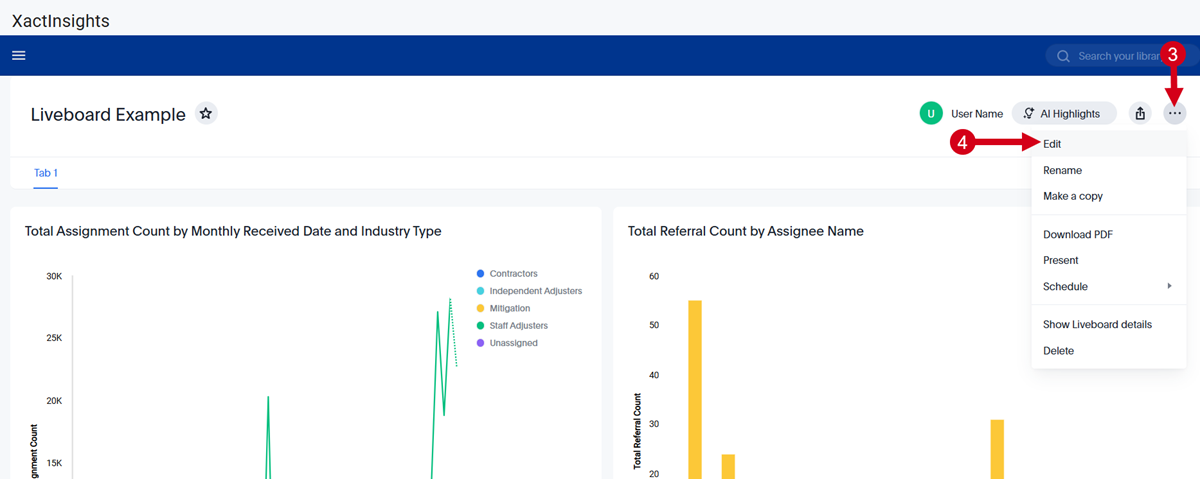
- Select the More (...) menu.
- Select Edit.
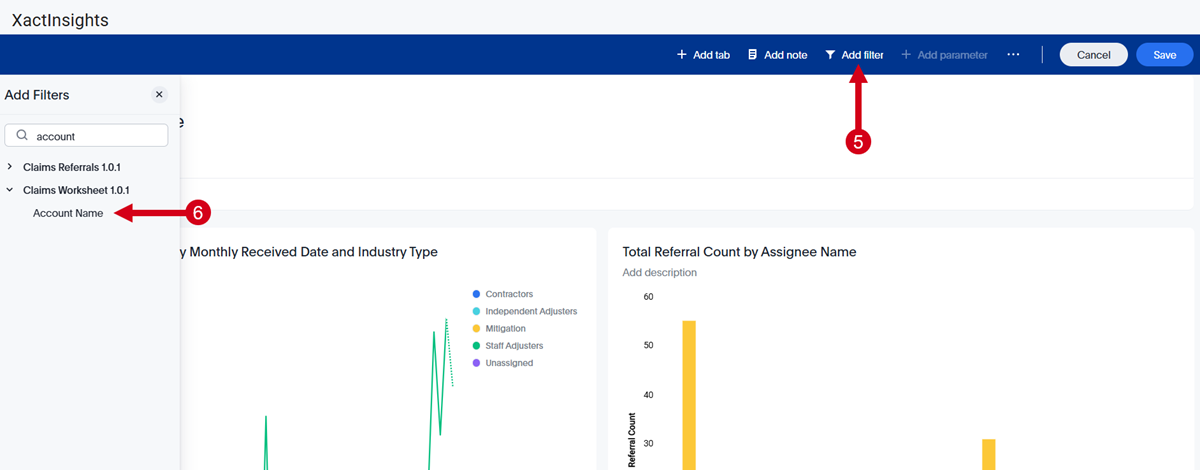
- Select Add filter.
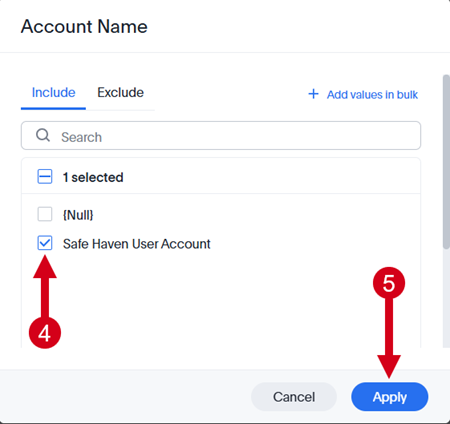
- Select Account Name from the list of columns. The Account Name window opens.
- Select the value(s) you want to include from the Default values list.
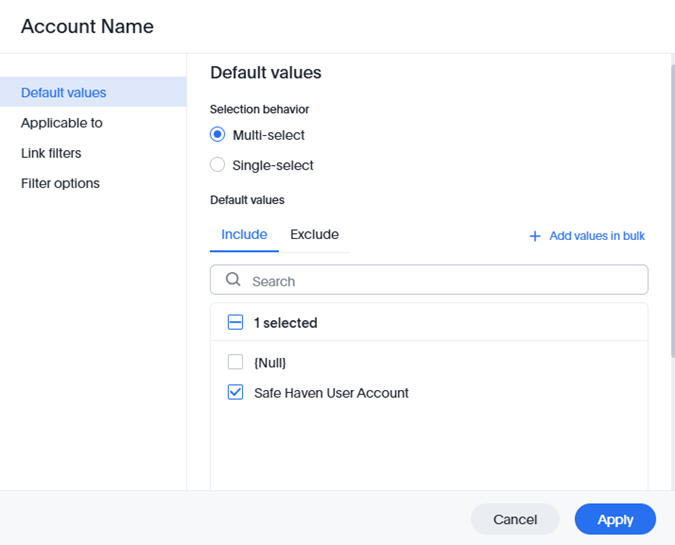
- Select Link filters on the menu on the left.
- From the Linked Model dropdown menu, select the worksheet that you want to apply the same filter to.
- From the Linked Filter dropdown menu, select the filter that you want to apply to that worksheet.
- When you are done, select Apply.
Apply the Account filter to each Answer
Use this option when you need more control over individual visualizations in the Liveboard.
- Open one of the Answers used in the Liveboard.
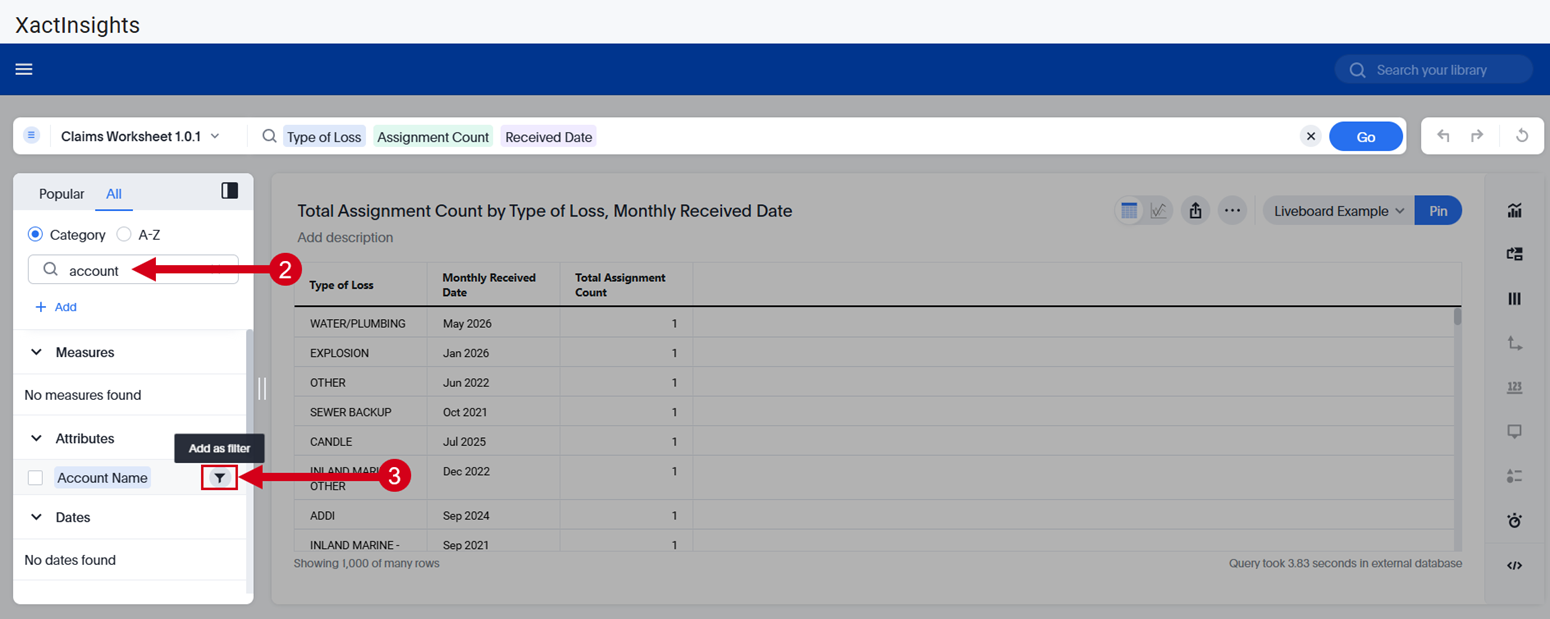
- Search for the Account Name column in the navigation panel on the left.
- Select the Add as Filter icon next to the Account Name column. The Account Name window opens.
- Select the value(s) you want to include.
- Select Apply.
- Select Go to perform the search again with the Account Name filter applied.
Repeat this process for every Answer in the Liveboard. Save each updated Answer before scheduling or updating the scheduled delivery.
Review existing scheduled Liveboards
Review any Liveboards that are already scheduled for delivery. Confirm that the Account filter is applied at the Liveboard level or to each Answer, then update existing reports as needed to help prevent duplicate or inflated metrics.