XactLink (Non-Program) Requests
 Updated
by
Arianne G.
Updated
by
Arianne G.
Overview
Non-program estimates are often exchanged through email. This can make it difficult to confirm delivery, track communication, review estimate data, and maintain a complete history of the project. XactLink allows contractors to submit estimates, photos, and supporting documents directly from Xactimate into XactAnalysis, where adjusters can review structured estimate data, communicate with contractors, and decide how to move the work forward.
XactLink keeps the review workflow in XactAnalysis and helps your team work with contractor-submitted estimates in one place.
- Review structured estimate data instead of relying on flat PDF attachments.
- Communicate with contractors from the submission workflow.
- Keep communication and status changes associated with the submission.
- Improve visibility into nonprogram estimate submissions.
Review XactLink requests
From within XactAnalysis, you can review incoming XactLink submissions from participating contractors on the new XactLink (Non-Program) Requests page, which you can find in the Assignments menu. The information available in an XactLink request depends on what the contractor includes when they submit it.
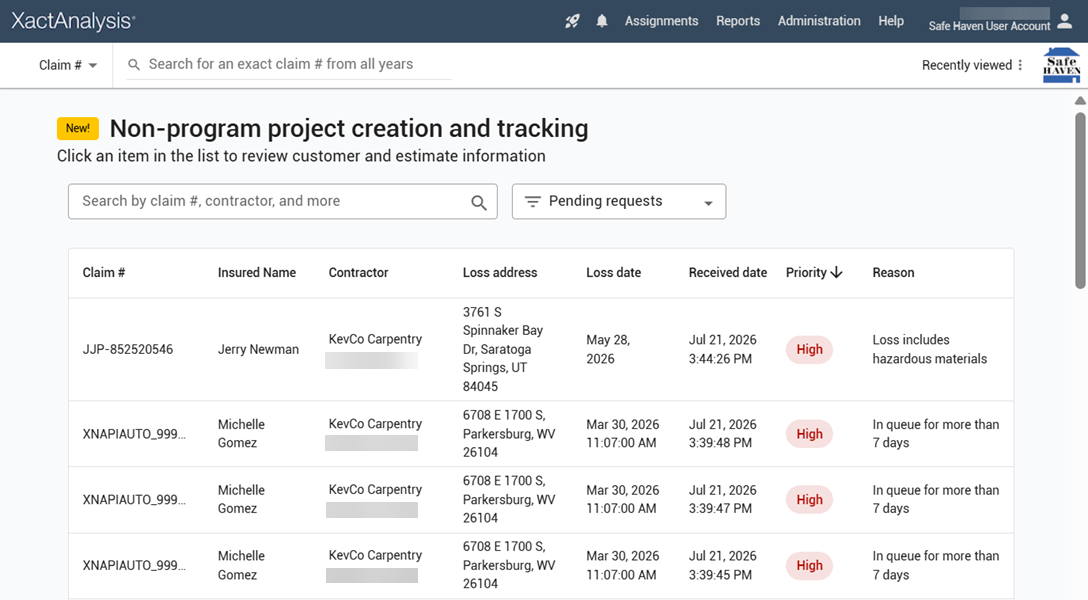
A request may include claim information, policyholder information, estimate data, photos, documents, and contractor messages.
Filter XactLink requests
You can filter the request list by status:
- Pending: The request has not yet been accepted or declined.
- Accepted: The request has been accepted.
- Declined: The request has been declined.
- Canceled: The request was withdrawn by the contractor.
You can also use the search bar to find requests by claim number, contractor name, and more.
Communicate with contractors
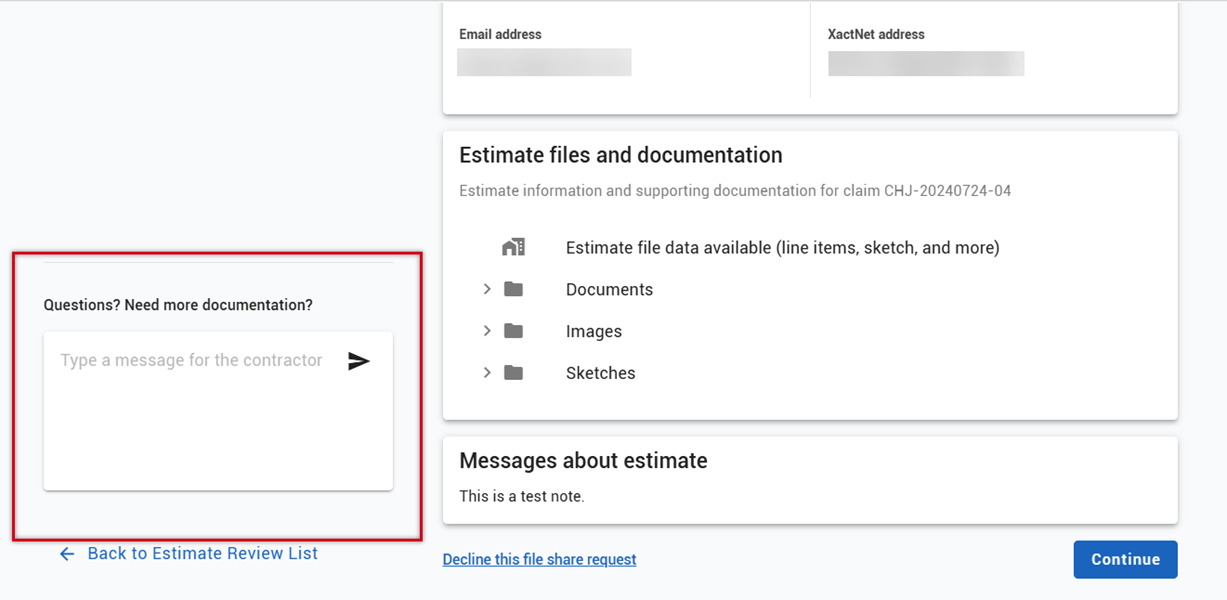
You can use XactLink messaging to communicate with the contractor about their request. Messages remain associated with the XactLink request, giving both parties a documented communication history without relying on separate email threads.
Accept or decline an XactLink request
After reviewing a request, you can decide whether to accept or decline it. You can also communicate with the contractor before making a decision.
Accept a request
Accept a request when you are ready to bring the contractor-submitted work into your workflow.
- Within the XactLink (Non-Program) Requests page, open the request that you want to accept.
- Review the information that the contractor submitted.
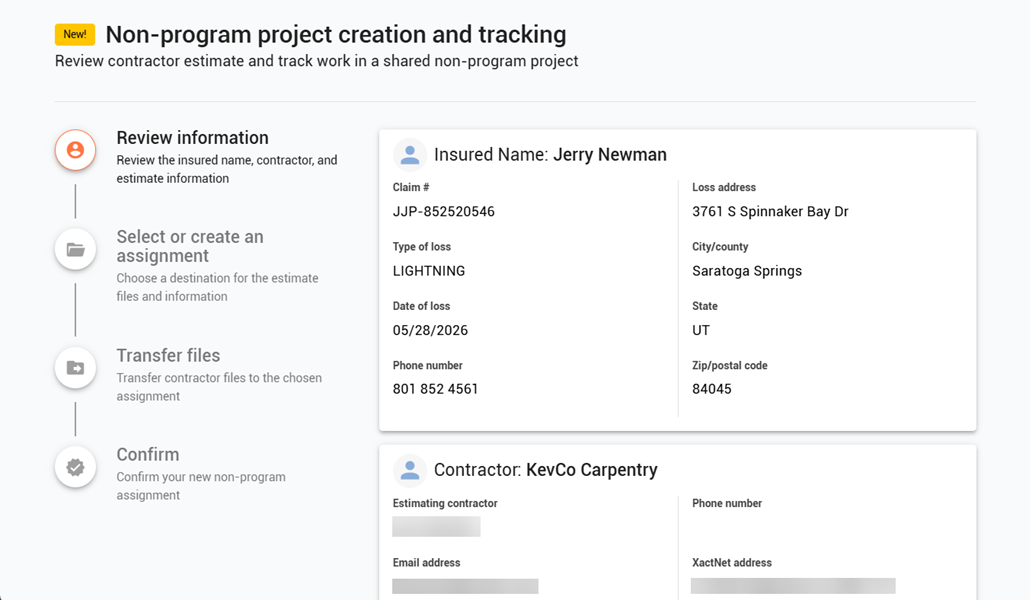
- If everything looks good, select Continue in the lower-right corner.
- Select an existing assignment to add the request’s information to or create a new assignment.
- Fill out the required information and select Create non-program project. The files and information are transferred to the assignment, and the contractor is notified of the transfer.
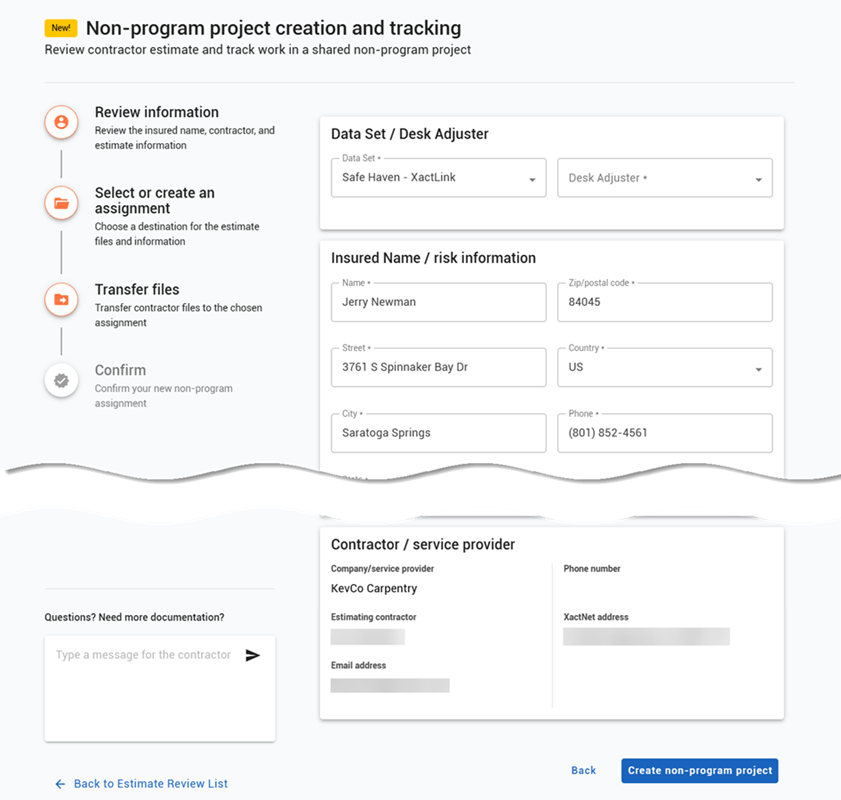
- Select Go Directly To This Assignment to view the assignment.
When a request is accepted:
- The request can move forward in your XactAnalysis workflow.
- Shared estimate data and supporting information remain available for review.
- The request status updates for the contractor.
- You can communicate with the contractor within the assignment notes.
- You can agree, negotiate, or dispute the estimate agreement.
Decline a request
Decline a request when the work should not move forward through your workflow.
- Within the XactLink (Non-Program) Requests page, open the request that you want to decline.
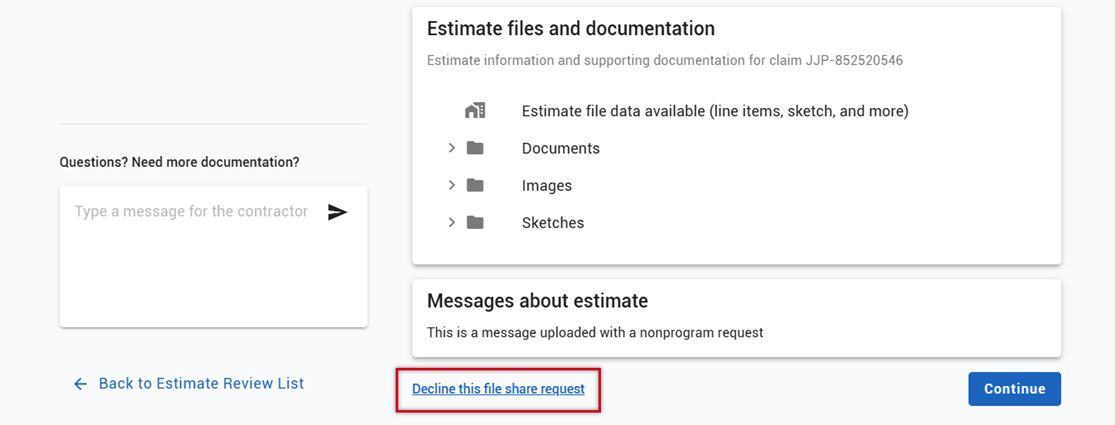
- Scroll to the bottom of the page and select Decline this file share request.
- If desired, enter the reason that you declined.
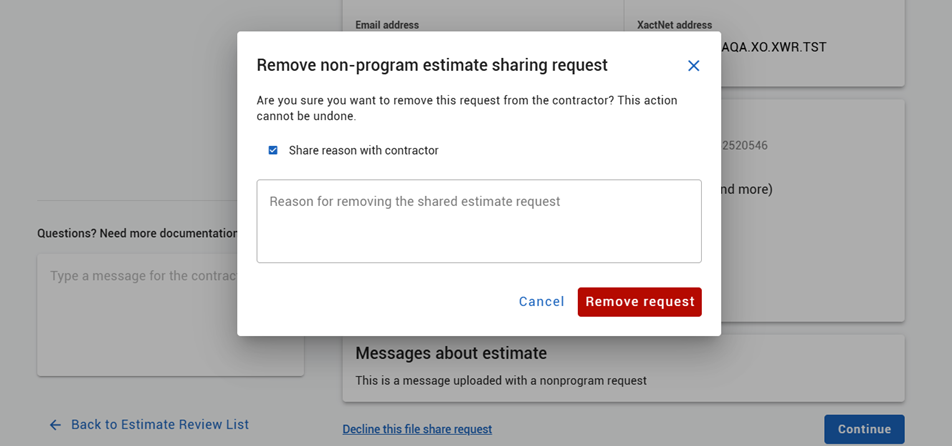
- Select Remove request.
When a request is declined:
- The submission does not move forward in your workflow.
- The submission status updates for the contractor.
- Any communication related to the decision remains associated with the request.
- All policyholder data is removed from your view.
Agree, negotiate, or dispute the estimate agreement
Once an XactLink request is accepted and entered into the XactAnalysis workflow, you can update the assignment and communicate with the contractor with the assignment. This includes managing the estimate agreement, which you can view and update in the Details tab.
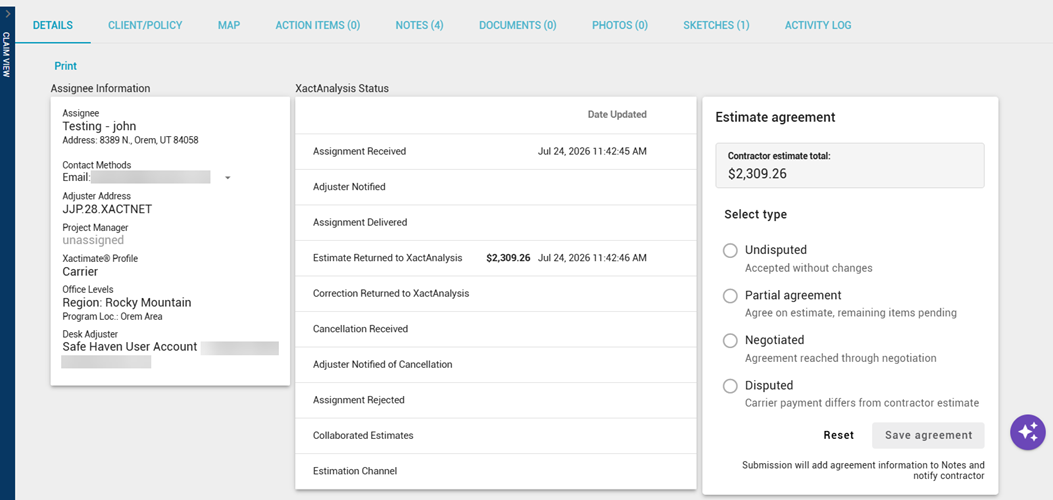
You can update a non-program assignment with the following estimate agreement types:
- Undisputed
- Partial Agreement
- Negotiated
- Disputed
Each submission creates a new agreement event rather than overwriting a previous one, allowing the system to preserve a full history of negotiations and agreement changes.
Information recorded with an agreement
Each Estimate Agreement event stores the following information:
- Agreement type
- Contractor estimate amount
- Carrier-agreed amount
- Carrier user ID
- Timestamp
- Optional note
Add or update an estimate agreement
- Within the non-program assignment, navigate to the Estimate Agreement section of the Details tab.
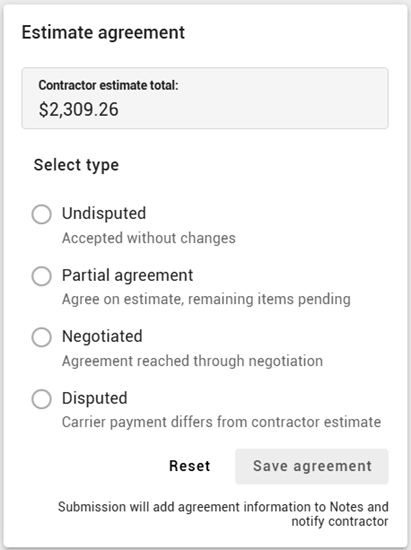
- Select the agreement type, either Undisputed, Partial Agreement, Negotiated, or Disputed.
- If you select any type except Undisputed, enter the carrier agreement total.
- If needed, add a note.
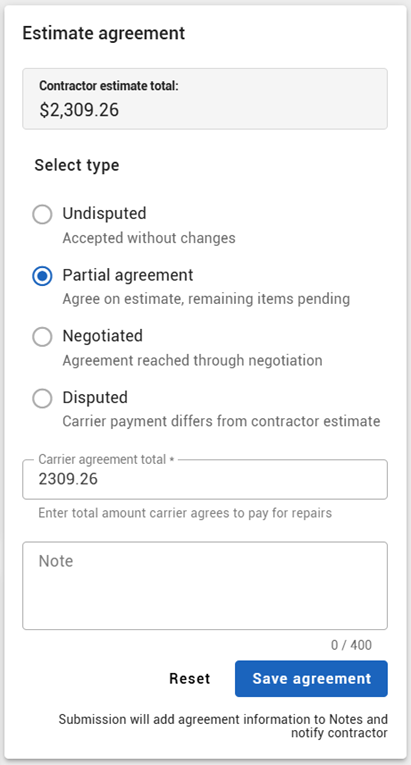
- Select Save agreement. Agreement information is added to the Notes tab, and the contractor is notified.
Data visibility and estimate integrity
XactLink is designed to preserve the contractor-owned estimate while giving carriers a clear review path.
With XactLink, you can:
- View information the contractor shared.
- Review submitted estimate data.
- Request changes through messaging.
- Accept or decline the submission.
- Enter an estimate agreement amount, which may differ from the contractor's uploaded total.
XactLink does not allow you to:
- View information the contractor does not share.
- Edit the contractor's estimate directly.
- Override contractor scope or line items.